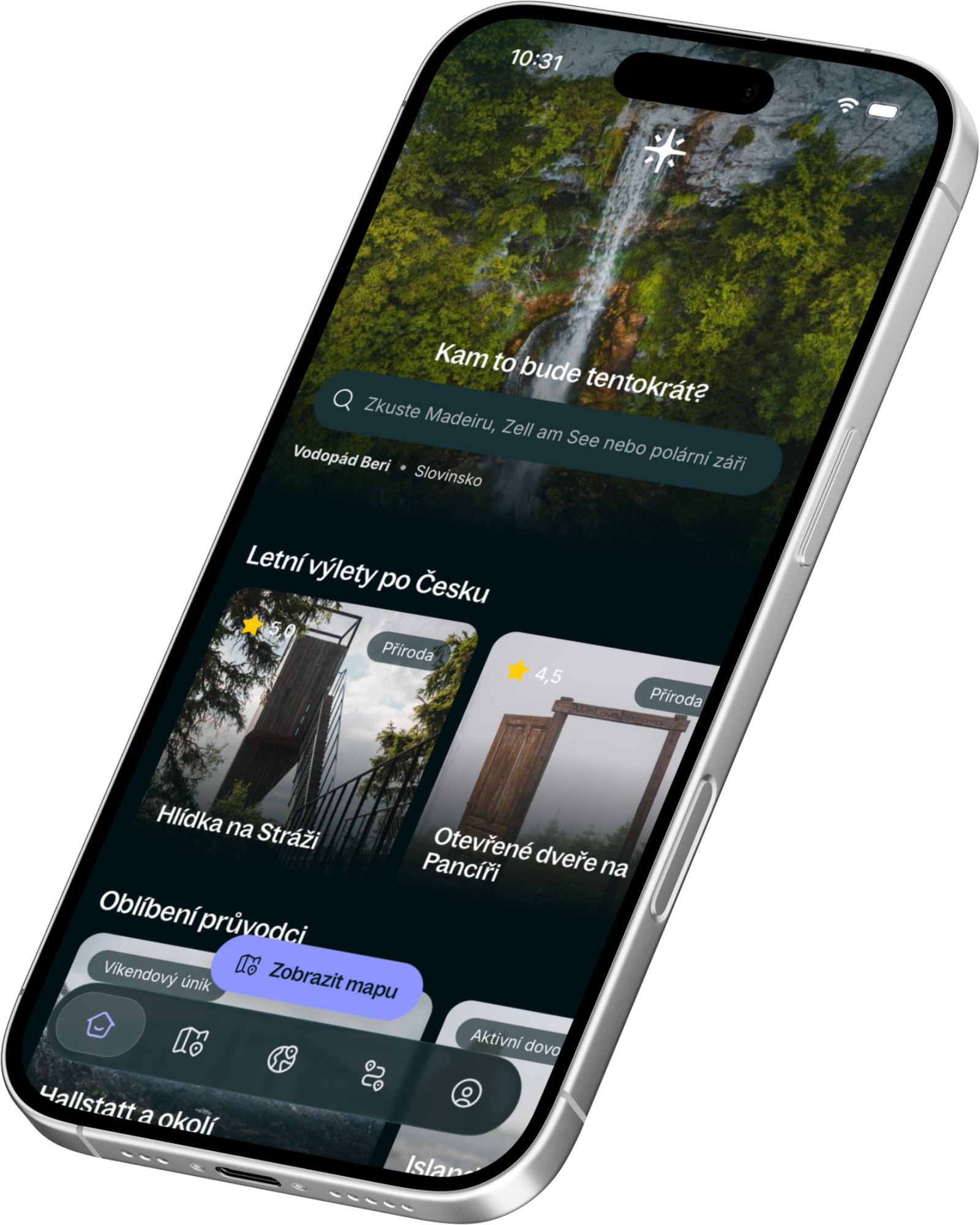
The Retkee app, with you on the go — rated




 Martin & Tina
•
Today - 11:56
Martin & Tina
•
Today - 11:56
Traveling abroad and don’t want to come home to a roaming bill? We live in Europe, so we know both sides: at home we rarely need an eSIM, but on our trips to Canada, the US, Australia and Japan we’ve used one every time and never had to look for a SIM card stand at the airport. Here’s when a travel eSIM makes sense, how Holafly works, and how to set it up so it works the moment you land. We use Europe as the main example, but the same logic applies wherever your home plan charges for roaming.
What Is an eSIM and How Is It Different from a Regular SIM?
An eSIM is a SIM card built into your phone. There’s no plastic chip to swap; you scan a QR code in your settings or add it through an app. It takes a few minutes and you can do it at home on Wi-Fi.
In practice, your home SIM stays active in your phone (calls, texts, bank verification codes) while the travel eSIM handles mobile data. No hunting for a SIM card stand at the airport, no line, no passport at the counter.
Our routine is always the same: we buy the eSIM at home or at the airport before departure, get it ready to activate, and after landing we simply switch mobile data from our home SIM to the travel eSIM. By the time we reach baggage claim, we’re online.
Do You Need an eSIM? Europe as an Example
If you’re traveling to Europe on a phone plan from outside the EU, almost certainly yes.
EU “roam like at home” rules only apply to EU phone plans. Europeans can use their data across the EU at no extra cost, but a US, Canadian, Australian or Asian plan gets charged as international roaming. Daily passes from home carriers add up fast over a two-week trip, and pay-per-megabyte rates are even worse.
Coming from the UK? Since Brexit, most UK carriers charge again for roaming in the EU, usually through a daily fee. Check your plan before you go.
One eSIM for the whole trip. Most Europe trips cross borders: Austria to Italy, France to Switzerland, a stopover in Iceland on the way. Holafly’s Europe eSIM covers around 40 destinations on one plan, so you don’t need a new SIM in every country.
Watch out for Switzerland. It sits in the middle of Europe but isn’t in the EU, so even many European plans charge extra there. If your route crosses the Alps between Italy and France or Germany, make sure your eSIM covers Switzerland too. Holafly’s Europe eSIM does.


Iceland. Iceland isn’t in the EU either, but it follows EU roaming rules and is included in Holafly’s Europe eSIM. Coverage along the Ring Road is solid; in the highlands and on F-roads it gets patchy, so download offline maps before you go. Planning the whole trip? Our Iceland guide covers 90+ verified stops, itineraries and tips on renting a car.

Iceland: the ultimate guide – map, itineraries and tips
Show guide
Italy. You’ll use more data than you expect: navigating narrow old-town streets, booking restaurants and museum tickets on the go, checking ZTL zones before you drive into a town center. See our Italy itineraries for routes through the Dolomites, Tuscany and more.
Beyond Europe: Canada, the US, Japan and Australia
For us as Europeans, these are the destinations where an eSIM saves the most, and we’ve used one in all four. Roaming on our home plans is expensive there, and a phone without data quickly turns into a problem.
Canada and the US. Long drives, national parks and motels you book on the way. You’ll lean on navigation and last-minute bookings all day. Coverage drops in remote parks and on mountain roads, so download offline maps for those stretches.
Japan. Train connections, Google Maps transit directions, restaurant reservations and translation apps all need data. Without it, getting around is much harder.
Australia. Distances are huge and outside the cities coverage can disappear for hours. Data matters in towns, for planning the next leg and checking road conditions; for the empty stretches in between, offline maps are a must.
How Holafly Works
Holafly is a travel eSIM with unlimited data. You don’t pay per gigabyte but per number of days (from 1 to 90) in a given destination, so you never have to count how much you have left. It covers 200+ destinations, including regional eSIMs for all of Europe or Asia.
You can buy the eSIM on the Holafly website or in the app, and it arrives within a minute by email and WhatsApp. You can install it by scanning a QR code, entering it manually, or with a single tap on iPhones with iOS 17.4 or later. If your trip gets canceled, you can request a refund for up to 6 months after purchase, so it’s safe to buy well in advance.
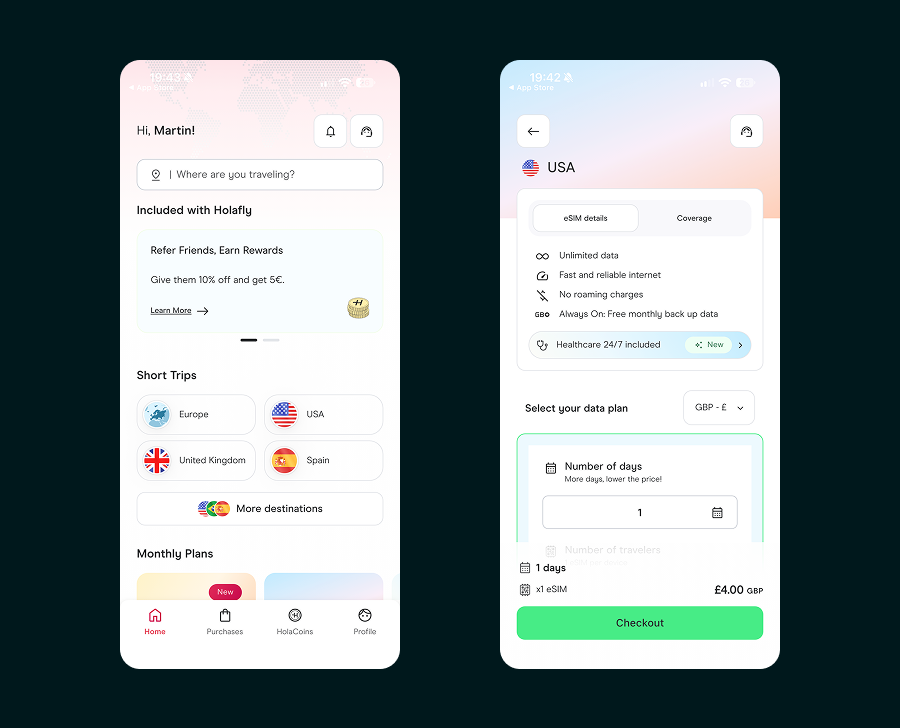
What to know before you buy:
- Data only. Most Holafly eSIMs don’t include regular calls or texts. Call over WhatsApp, FaceTime or another app. Keep your home SIM active for bank texts. Some regional plans, including the Europe eSIM, add a local number with call minutes in selected destinations; check the details on the destination page.
- Fair use. Data is unlimited, but the local network may slow your speed after heavy use on a given day. For maps, messages and social media, you won’t notice.
- Hotspot has a daily limit. On standard short-trip eSIMs it’s roughly 500 MB to 1 GB a day depending on the destination. Not enough for working from a laptop, fine for occasionally connecting a tablet. You’ll find the exact limit in each destination’s technical specs.
- Your phone must support eSIM and be carrier-unlocked. That includes iPhone XS and newer and most recent Android phones (Samsung Galaxy S20 and newer, Google Pixel 3 and newer). The Holafly app checks compatibility before you buy.
We used Holafly on our road trip through Canada, for example. The Holafly app showed how much data we’d used the whole time, and if the trip had run longer, we could have added more days right there without reinstalling anything. If something goes wrong, support answers 24/7 via website chat or WhatsApp.

What Is Always On and When Does It Help?
Always On is a feature that sets Holafly apart from most other travel eSIMs. It’s 1 GB of free backup data that renews every 30 days from the day you install the eSIM. It turns on automatically, works in 70+ destinations, and kicks in once your main plan ends. There’s only one condition: don’t delete the eSIM from your phone.
When it comes in handy:
- You land without an eSIM ready. If you still have Holafly on your phone from a previous trip, Always On gets you online so you can buy and install a new eSIM right at the airport, no Wi-Fi needed.
- Delayed flight or a long layover. Enough to rebook a connection, message your host or order a ride.
- A short stop in another destination. A day trip across the border without buying a new plan.
Always On only works on the original phone, and it disappears if you refund the order. Hotspot doesn’t work with Always On; it’s for your phone only.
Tip: rename the eSIM in your phone (e.g. “Holafly Travel”) so you don’t delete it by accident.
Short-Trip eSIM or Monthly Plan?
Holafly offers two types:
- Short-trip eSIM – pick a destination or region and the number of days. Best if you travel internationally one to three times a year.
- Monthly plan (Holafly Plans) – one eSIM that works in 160+ destinations and switches to the local network on its own. It costs $49.90 a month for 25 GB or $64.90 for unlimited data (the unlimited plan has no hotspot limit).
The monthly plan makes sense if you travel abroad several times a month, work remotely and need your laptop online, or are on a longer trip across several destinations. For a one- or two-week vacation in Europe, a short-trip eSIM is the better deal. With code RETKEE, you get 10% off the monthly plan for the first 12 months.
How to Set Up Your eSIM So It Works the Moment You Land
- Check that your phone supports eSIM and is carrier-unlocked.
- Install the eSIM at home on Wi-Fi, ideally a day or two before you fly. With Holafly, the plan only starts counting once you connect to a network at your destination.
- After landing, switch mobile data to Holafly and turn on data roaming for the eSIM. You need it on, even though you’re paying for local data.
- Keep your home SIM on, but turn off its mobile data so your phone doesn’t use expensive roaming.
- Don’t delete the eSIM after you get home if you want to keep Always On.
Get the data setting right. A phone with two SIMs needs to know which line to use for mobile data. On iPhone, go to Settings → Cellular → Cellular Data (Mobile Data on UK phones); on Android, look in your SIM card settings. If your home SIM stays selected, your phone will roam even with the eSIM installed. On iPhone, also turn off “Allow Cellular Data Switching” so your phone doesn’t jump back to your home SIM when the signal is weak. This is the only step where setup can go wrong.
Discount for Retkee Readers
With code RETKEE, you get 5% off any Holafly travel eSIM and 10% off a monthly plan (Holafly Plans) for the first 12 months. Our link applies the code automatically. If it doesn’t, enter it manually at checkout.
How do our recommendations work? We only recommend verified companies and services we’ve tried ourselves. By clicking through and booking, you support Retkee and its further development.